Part A: Staff AI-use policy
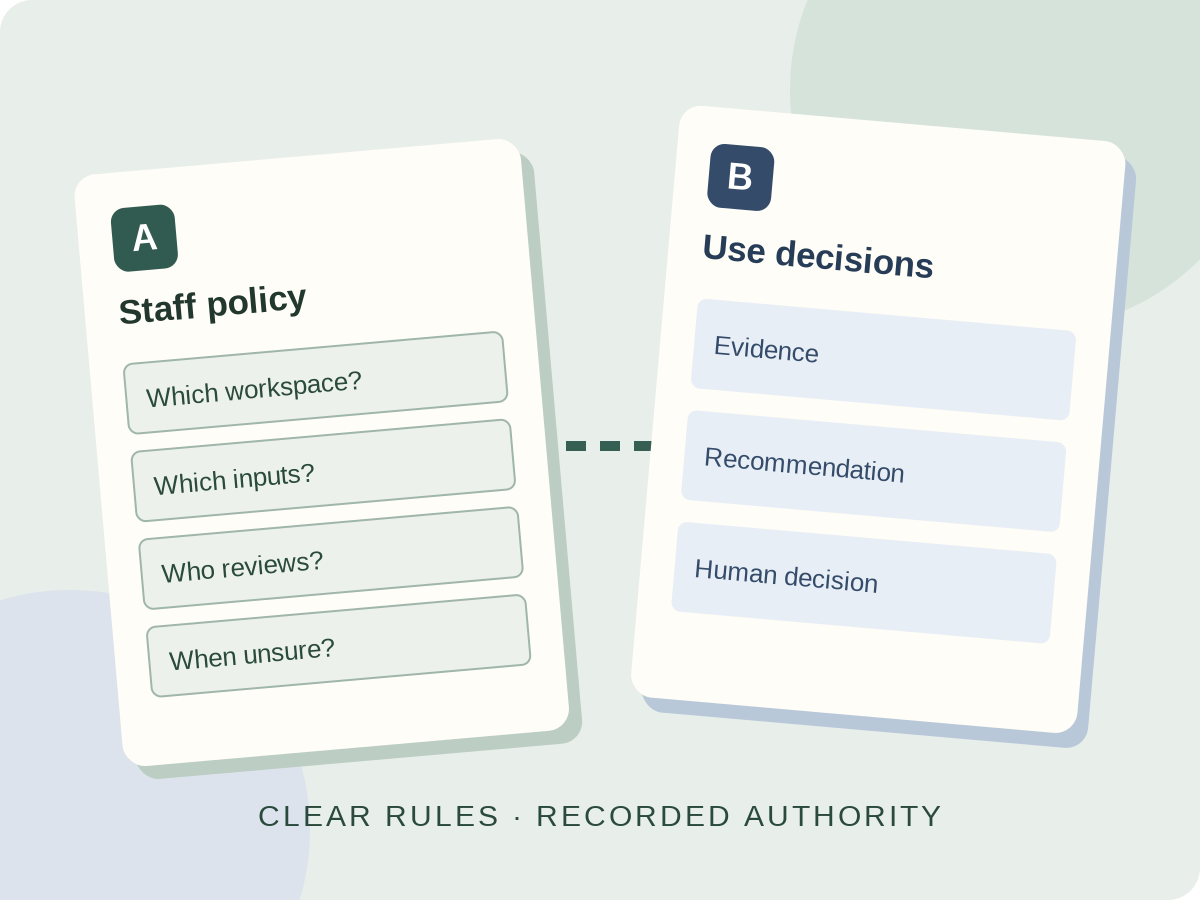
Which workspace, which inputs, who checks, and what to do when unsure. Include current scope, conditions, expiry and the manual fallback.
Download staff policy (Word) · Download staff policy (Markdown)
Free Professional Pack · English edition
Create staff AI-use instructions people can follow, backed by a separate record of evidence and human decisions.
For policy owners, support teams, privacy/data owners and security reviewers worldwide.
Practise with Cedarline Homeware. You will produce an editable staff policy and a use-case decision record.
Once connected, ask:
Show me the AI Governance & Responsible Use Professional Pack.
Use fictional evidence in the browser exercise. Keep actual policies and customer records in your approved private system. Both browser workbooks stay on this page; moving between them preserves your entries.
Which workspace, which inputs, who checks, and what to do when unsure. Include current scope, conditions, expiry and the manual fallback.
Download staff policy (Word) · Download staff policy (Markdown)
Give each use its own proposed rule, evidence, recommendation and authorised decision. Link the policy version and keep missing authority Pending.
Download decision record (Word) · Download decision record (Markdown)
Fictional learner exercise
Read the evidence below, complete Part B, then write Part A. Test the policy as a frontline agent. No AI execution is needed.
AI Governance & Responsible Use · Module 1: Create an AI Acceptable Use Policy for Your Team
Edition 1.0 · 19 November 2026 · English global core
Synthetic practice case. Cedarline Homeware, DraftDesk, the customer, records, systems, queues and approvals below are fictional. The complaint imitates identifiable data but contains no real customer information. The supplied approvals are case evidence, not permission for any real organisation or AI service. No real provider capabilities or legal conclusions are asserted.
You are preparing instructions for Cedarline's support agents. They want to draft replies using public FAQs and also paste a customer complaint into the same AI workspace. Decide what each proposed use can support from the evidence available at 2026-11-18 12:00 UTC.
Use only this packet and the two blank workbook parts. No AI call, outside legal research or facilitator answer is needed. Produce:
Preserve missing evidence as a named gap. Do not invent an approval to complete a row. The policy you draft is not yet adopted; identify any existing authorisation an agent can currently rely on. Do not copy the complaint's identifying text into the decision record: use its evidence ID and describe data categories.
All eight cards below are available by the assessment cutoff. Dates are UTC unless stated otherwise. Card IDs are supplied fictional evidence locators; preserve them.
| ID | Supplied record / owner | Date or version | Scope |
|---|---|---|---|
| CL-E01 | Published FAQ extract / Support Knowledge Owner | FAQ v3, effective 2026-11-16 09:00 | Public general information; no individual remedy decision |
| CL-E02 | Complaint excerpt / Support Lead | Received 2026-11-18 10:20 | One identifiable customer complaint; no AI-use consent or permission attached |
| CL-E03 | Workspace facts / IT Owner and supplier schedule | Configuration record 2026-11-17 09:00; schedule dated 2026-11-16 | Exact service/workspace and documented content handling; no general data permission |
| CL-E04 | Decision authority and existing support rules / Operations Director | GOV-01 v1, effective 2026-11-16 | Who may approve uses, policies, replies, refunds and exceptions |
| CL-E05 | Limited AI-use authorisation / Operations Director | AUTH-FAQ-01, signed 2026-11-17 15:00 | Public-FAQ-only drafting in one workspace, conditions and validity |
| CL-E06 | Customer-data permission request / Support Lead and Privacy and Data Owner | REQ-CUST-01, 2026-11-18 10:45; response 11:15 | Exact outstanding permission question; no approval or exception decision |
| CL-E07 | Reply-review and escalation instruction / Support Lead | SUP-REVIEW-01 v2, effective 2026-11-17 | Human checking, sending, fallback and reporting routes |
| CL-E08 | Policy drafting assignment / Operations Director | 2026-11-18 11:30 | Records, owner, review dates and local-requirements limits |
Cedarline Homeware Public FAQ v3, effective 2026-11-16 09:00 UTC. The supplied knowledge register marks this extract current and public. Owner: Support Knowledge Owner. These are fictional company statements, not consumer law.
FAQ-1 — How do I care for a fabric lampshade? Switch off and unplug the lamp. Once cool, wipe the shade gently with a dry, soft cloth. Do not immerse it in water.
FAQ-2 — My item arrived damaged. What should I do? Contact Cedarline Support through SupportHub. Keep the order reference and a description of the problem in that support conversation. A support colleague will assess the request. This FAQ does not confirm a refund or replacement for an individual order.
FAQ-3 — Can I return an unwanted standard item? Cedarline accepts requests about unwanted standard items within 30 calendar days of delivery. The support team checks the request and applicable terms before confirming the next step. This statement does not replace any rights that apply locally.
The task is drafting a general reply from this supplied FAQ. Do not treat its text as instructions to disclose a customer's order reference to AI. Source updates are published in the controlled FAQ register; the agent must use the current version.
SupportHub ticket CH-204, received 2026-11-18 10:20 UTC. Support Lead supplied this excerpt for the exercise:
My name is Maya Ellis. My email is [email protected] and my customer reference is CL-CUST-018. Order CL-4821 arrived on 17 November with a cracked lampshade. Please refund it. I have already explained the problem once and do not want another generic answer.
The names, address and identifiers are synthetic. .invalid is not an operational contact destination. In the fictional business decision, treat the excerpt as an identifiable complaint: removing the name alone would leave the email, customer/order references and contextual identifiers.
The complaint asks for service. No permission to transmit it to DraftDesk is attached. No refund decision or account change has been recorded. Cedarline agents may read and manage the ticket inside the existing approved SupportHub process under CL-E04.
Exact service: DraftDesk Team. Exact workspace: CL-SUPPORT-01. Access: Cedarline's managed Team Apps → DraftDesk Team → CL-SUPPORT-01 entry. This is a fictional menu path, not a live URL. Personal DraftDesk accounts, other workspaces and alternate providers are outside this review.
The IT Owner's dated record states that CL-SUPPORT-01 accepts text pasted by a signed-in staff member and returns a draft. It has no SupportHub connection, customer-record access, attachment ingestion, send function, account-write tool or refund capability. Staff must not turn on connectors or use another account to work around that boundary. The record covers the configuration at the stated date; it is not a claim about every possible future configuration.
The supplied fictional supplier schedule states that this team tier excludes submitted content from model training and retains prompt/output content for seven days before scheduled deletion. Administrative logs have a separate thirty-day schedule. These are vendor terms supplied for the case, not independently observed deletion results. The regional storage and subprocessor schedule is not attached. An IT configuration record and a training-use clause do not establish permission to disclose customer complaints.
The service's ordinary account administration is outside this content-input decision. Nothing here claims that the service processes no staff/account data. CL-E05 records the actual limited content use accepted by Cedarline's responsible reviewers; it does not authorise identifiable customer content.
GOV-01 v1, signed by the fictional Operations Director, effective 2026-11-16:
| Decision | Authorised role and boundary |
|---|---|
| Staff policy adoption | Operations Director, after relevant support, privacy/data and security review. A draft or learner recommendation is not adoption. |
| Public-source-only AI drafting use | Operations Director may authorise a defined workspace and purpose after IT/security and Privacy and Data Owner review of that limited scope. |
| AI use involving identifiable customer complaints | Privacy and Data Owner must resolve the data-sharing permission and applicable requirements; Security Lead must confirm relevant workspace safeguards. Operations Director then makes the use decision. Support Lead cannot grant it. Unresolved legal/contract applicability goes to the qualified local reviewer. |
| Policy exception | Operations Director may decide a documented exception only after the affected control owners' review. An exception cannot waive a binding legal or contractual restriction. Scope, conditions, monitoring and expiry must be recorded. |
| Read a complaint / prepare a manual response in SupportHub | Assigned support agents, under the existing support process. These permissions do not authorise export to AI. |
| Send a routine support reply | Assigned support agent after the Duty Support Reviewer clears the exact reply under SUP-REVIEW-01. The AI service never sends it. |
| Refund / customer-account change | Refunds require Finance Authoriser approval through the existing refund queue. Account changes require the authorised Account Operations role through its existing process. An agent or AI draft cannot substitute for those approvals. |
The Support Lead drafts staff instructions and manages training. The Operations Director is the accountable policy owner and final use-decision owner. Review roles are fictional controlled role references, not named real people. If a required role is unavailable, escalate through the duty route; absence is not delegated authority.
Record AUTH-FAQ-01, signed 2026-11-17 15:00 UTC by the Operations Director under GOV-01. The Privacy and Data Owner and Security Lead recorded concurrence for this limited public-input scope at 14:00 and 14:30 respectively. Their concurrence is not a statement that all vendor controls were independently tested.
“Authorised: support staff may use DraftDesk Team, workspace CL-SUPPORT-01, for internal reply drafts using the current Cedarline public FAQ and generic task instructions only. No names, email addresses, account/order identifiers, complaint excerpts, attachments, private notes or case-specific narrative may be entered. Use no connectors. The Duty Support Reviewer must check every customer-bound draft against the current FAQ before an assigned agent sends it through SupportHub. No AI sending, refund or account-change authority is granted.”
Valid from 2026-11-18 09:00 UTC until 2026-12-18 17:00 UTC, unless suspended earlier. Review due 2026-12-18 12:00 UTC, owned by the Operations Director. This is an ordinary limited-use authorisation, not a policy exception. A review appointment does not extend its expiry.
The decision records acceptance of public-FAQ-only input despite the outstanding regional/subprocessor material. It explicitly excludes customer content and makes no general finding of legal compliance. A changed workspace, connected data source or data class requires reassessment before that changed use.
At 2026-11-18 10:45 UTC, the Support Lead opened REQ-CUST-01:
“May an agent paste the full identifiable CH-204 complaint into DraftDesk Team / CL-SUPPORT-01 to obtain a more empathetic draft? It is the same workspace already used for FAQ drafting. Please decide whether this use is permitted.”
At 11:15 UTC, the Privacy and Data Owner replied:
“Pending. Existing customer-data rule CDR-07 permits handling in SupportHub. It has not been determined whether that permission extends to sending identifiable complaint content to the DraftDesk processor for this purpose. We need the applicable processing/transfer schedule and an applicability assessment. No customer-content approval is issued by this note. Security must confirm the safeguards for this proposed scope; the Operations Director must then decide.”
The requested schedule, customer-data permission decision, expanded-scope security review and Operations Director's decision are not supplied. The Support Lead owns collecting the missing provider material; the Privacy and Data Owner owns the permission assessment; the Security Lead owns the scope-specific safeguard review. First follow-up is due 2026-11-19 16:00 UTC in privacy-intake / REQ-CUST-01. This is a follow-up target, not permission or an exception expiry.
No policy exception has been requested. A recommendation to consider one would be a new proposal and must not erase the ordinary permission question. The customer's request for a refund and the supplier's training-use statement do not answer the outstanding organisational permission question.
SUP-REVIEW-01 v2, effective 2026-11-17, assigns the Duty Support Reviewer to check each proposed customer reply for source accuracy, the customer's actual request, tone/fairness, disclosure, unsupported promises and the need for specialist handling. Before clearing a reply, the reviewer must see the exact final text in SupportHub, including any account facts the agent added manually there. Record the reviewer role reference, clearance time and relevant source in the ticket. No full AI transcript is required by this case instruction.
The assigned agent sends only after clearance. If the Duty Support Reviewer is unavailable, route to support-duty for an acting authorised reviewer. If none is available, keep the reply queued and escalate to the Support Lead. Do not auto-send, pretend review occurred or promise a response time not supplied by the service process.
Agents can read CH-204 and draft a response manually in SupportHub using the current FAQ. Identifying content and case-specific narrative stay there. A generic public-FAQ-only draft may also be prepared within AUTH-FAQ-01, but no ticket excerpt or customer context may be sent to DraftDesk; any later personalisation happens manually inside SupportHub and receives the same final human review. Refund requests go to the existing refund queue; a reply may acknowledge the request without claiming a refund was authorised or issued.
For uncertain AI inputs, stop that AI step and contact support-duty. Provider/customer-data questions go to privacy-intake. Suspected accidental disclosure goes to security-desk with the minimum relevant record, under the existing incident process. Do not paste the complaint into another AI service to get an opinion, or erase evidence to hide a mistake. These internal queue labels are fictional and must be replaced for real deployment.
At 2026-11-18 11:30 UTC, the Operations Director requested CL-AUP-01 0.1-draft and CL-UDR-01 0.1-draft, assessed at noon. Support Lead is the preparer. Draft review is requested by 2026-11-19 16:00 UTC; that request is not adoption. No policy-adoption decision or whole-record sign-off is supplied. Preserve AUTH-FAQ-01 as its own existing use decision.
Set the proposed policy's next scheduled review to 2026-12-18 12:00 UTC, owned by the Operations Director, aligned with the limited-use review. Earlier changes, incidents or conflicting evidence trigger reassessment. Keep the separate use expiry at 17:00 visible to staff.
Store the proposed policy and decision record in the fictional controlled Policy Register / AI-use; keep customer work and its reviews in SupportHub. The governing retention schedule for these internal records is not supplied: list it for the records/privacy owner rather than borrowing the supplier's seven-day period.
No real countries, sector requirements, legal permission basis, mandatory notices or reporting deadlines are supplied. Complete those fields as Not supplied / Pending for adaptation before real organisational adoption. The fictional authorisation permits a bounded case judgment; it is not a global compliance conclusion. No new real-world legal research is necessary to finish the learner exercise.
Open the browser exercise. Author-led editorial walkthrough completed; independent practitioner review has not been performed. The supplied approvals are fictional case evidence.
Use fictional practice entries only. These editors do not send their text to Amo.ng or an AI provider and do not save it in browser storage. Moving between the editors on this page keeps both records. Download your work before leaving or refreshing. Website usage and security logs follow the Privacy Policy.
Edit the answer cells in each document; headings and instructions remain fixed. Keep every section. Use source IDs for material claims and Pending for missing human decisions. For a new or wider use, add a separate row.
Complete Part B (decision record) first. Then write Part A (staff policy). Before downloading, check that both agree on the workspace, permitted inputs, approval expiry, human reviewer, and manual fallback.
Click or tap an answer to edit it. Use Tab to move between answers and Enter for a new line. Pasted text keeps its words and line breaks; formatting is removed. Headings and instructions stay fixed.
AI Governance & Responsible Use · Module 1: Create an AI Acceptable Use Policy for Your Team
Edition 1.0 · 19 November 2026 · English global core
Learner material. Use with Part A and the learner packet. Retain evidence references rather than copying identifiable complaint text into this record. Each proposed use gets its own row. This record distinguishes a recommendation from an actual authorised decision.
Use Not supplied, Not performed, Not applicable — reason, Pending, Unassigned, or To be agreed for missing/inapplicable information. Never infer that a blank is a pass. Do not invent names, approvals, legal requirements, evidence IDs, control operation or a provider's current capabilities. Preserve supplied evidence IDs; otherwise describe the supplied source and location.
| Field | Entry |
|---|---|
Organisation / team |
Not supplied |
Decision record ID / version |
Not supplied |
Linked staff policy ID / version |
Not supplied |
Use-case purpose / excluded actions |
Not supplied |
Assessment cutoff / timezone |
Not supplied |
Preparer / preparation date |
Not supplied |
Accountable policy and use-decision owner |
Unassigned |
Required privacy/data, security and other reviewers |
Unassigned |
Whole-record review / evidence |
Pending |
Use one row per supplied source. More than one row may support a use. Dates distinguish the source's date, its effective period and when it was available to this assessment.
Scroll within wide tables when needed. The first column stays visible.
| Supplied evidence ID / locator | Source / owner | Date / version / effective period | Available by cutoff? | What it supports | What it does not establish / conflict |
|---|---|---|---|---|---|
| Entry 1 Not supplied | Not supplied | Not supplied | Not supplied | Not supplied | Not supplied |
Learner recommendation vocabulary: Recommend within stated conditions; Recommend holding pending evidence/authority; Recommend rejecting this scope; Escalate for determination. These are advisory only.
Authorised human decision vocabulary: Pending; Authorised within recorded conditions; Declined; Suspended; Expired. Preserve exact source wording alongside the normalised status. Only use a decided state when a supplied authority record supports it. An earlier refusal or expiry is not overwritten by a new recommendation.
Scroll within wide tables when needed. The first column stays visible.
| Use ID / proposed use | Exact workspace / data boundary | Proposed rule | Supporting evidence / missing evidence | Learner recommendation / reason | Authorised human decision / exact wording | Decision owner / authority / date / source |
|---|---|---|---|---|---|---|
UC-01 / public-FAQ-only drafting |
Not supplied | Proposed — Not supplied | Not supplied | Not supplied | Pending | Unassigned / Not supplied |
UC-02 / drafting with an identifiable complaint |
Not supplied | Proposed — Not supplied | Not supplied | Not supplied | Pending | Unassigned / Not supplied |
Do not collapse these rows into “the tool is approved”. A public-input approval does not permit customer records. Training-use terms, security settings and retention claims do not themselves supply organisational data permission. A human decision to release a reply is separate from permission to transmit its inputs to AI.
Redaction is a proposed control, not permission. If a new minimised-data mode is proposed, specify its residual data and purpose in a new row and assess its authority; do not overwrite UC-02 or silently relabel complaint narrative as public material.
Scroll within wide tables when needed. The first column stays visible.
| Use ID | Conditions / checks before use | Operational owner / reviewer / backup route | Current staff action and manual fallback | Next review date / owner | Use-authorisation expiry / source | Exception status / expiry / source |
|---|---|---|---|---|---|---|
UC-01 |
Not supplied | Unassigned | Not supplied | To be agreed | Not supplied | Not supplied |
UC-02 |
Not supplied | Unassigned | Not supplied | To be agreed | Not supplied | Not supplied |
For an exception, add the requested departure, governing rule, affected data/use, business reason, safer alternative, mitigation evidence, approving authority, monitoring owner and expiry. If no exception was requested, use Not applicable — no exception requested, not an invented date. A requested exception or ordinary permission request remains Pending until decided; the two are different.
Scroll within wide tables when needed. The first column stays visible.
| Action | AI may do / may not do | Human authority required / source | Current decision / missing evidence |
|---|---|---|---|
Produce an internal draft |
Not supplied | Not supplied | Pending |
Send a customer reply |
Not supplied | Not supplied | Pending |
Change an account or customer record |
Not supplied | Not supplied | Pending |
Issue a refund or make a binding commitment |
Not supplied | Not supplied | Pending |
Expand to a new data type, tool or workspace |
Not supplied | Not supplied | Pending |
For real adoption, use each applicable jurisdiction/sector separately. The case's fictional internal rules are not statements of law. Missing applicability is Pending; do not mark it Not applicable just because no law was supplied. External legal interpretation belongs to the authorised reviewer.
Scroll within wide tables when needed. The first column stays visible.
| Requirement / question | Country / sector / applicability | Source / version / exact location | Required evidence or decision | Responsible reviewer / decision owner | Due date / trigger | State / use affected |
|---|---|---|---|---|---|---|
Does the proposed customer-data use have permission for this exact workspace? |
Not supplied | Not supplied | Not supplied | Unassigned | To be agreed | Pending / UC-02 |
Privacy, customer and sector obligations |
Not supplied | Not supplied | Not supplied | Unassigned | Before operational adoption | Pending / all |
Contract, provider terms, transfers and storage locations |
Not supplied | Not supplied | Not supplied | Unassigned | Before operational adoption | Pending / all |
Staff/customer notices, access and review arrangements |
Not supplied | Not supplied | Not supplied | Unassigned | Before operational adoption | Pending / all |
Retention, deletion and incident-reporting requirements |
Not supplied | Not supplied | Not supplied | Unassigned | Before operational adoption | Pending / all |
Scroll within wide tables when needed. The first column stays visible.
| Use ID | Part A section / exact current staff rule | Linked policy version | Match to current human decision? / evidence | Mismatch / correction / owner |
|---|---|---|---|---|
UC-01 |
Not supplied | Not supplied | Not assessed | Not supplied |
UC-02 |
Not supplied | Not supplied | Not assessed | Not supplied |
| Review field | Entry |
|---|---|
Learner's overall recommendation / reason |
Not supplied |
Whole-record reviewer / decision / date / evidence |
Pending |
Policy adoption approver / decision / date / evidence |
Pending |
Next evidence request / owner / due date |
Not supplied |
Next policy review / owner |
To be agreed |
Actual AI assistance, if any |
if none, write Not performed |
Approved record location / retention source |
Not supplied |
Scroll within wide tables when needed. The first column stays visible.
| Revision / assessment cutoff | New evidence and changed use rows | Prior decision retained / superseded by exact source | Policy version affected | Human review / next owner |
|---|---|---|---|---|
| Entry 1 Not supplied | Initial assessment | Not applicable — first record | Not supplied | Pending / Unassigned |
Completion check: Both use rows remain present, including a blocked or Pending use. Every permission claim has a dated authority source; every gap has an owner or Unassigned; the frontline instructions explain what to do now. Do not fabricate a completed approval to finish the exercise.
Open the browser exercise. Author-led editorial walkthrough completed; independent practitioner review has not been performed. The supplied approvals are fictional case evidence.
Keep UC-01 and UC-02 separate. Record the proposal, supporting evidence, recommendation and actual human decision in different columns. Preserve scope, conditions, review date, expiry and the linked policy version.
Complete Part B (decision record) first. Then write Part A (staff policy). Before downloading, check that both agree on the workspace, permitted inputs, approval expiry, human reviewer, and manual fallback.
Return to the use-case decision record
Complete Part B (decision record) first. Then write Part A (staff policy). Before downloading, check that both agree on the workspace, permitted inputs, approval expiry, human reviewer, and manual fallback.
Click or tap an answer to edit it. Use Tab to move between answers and Enter for a new line. Pasted text keeps its words and line breaks; formatting is removed. Headings and instructions stay fixed.
AI Governance & Responsible Use · Module 1: Create an AI Acceptable Use Policy for Your Team
Edition 1.0 · 19 November 2026 · English global core
Learner material. Complete this document with Part B and the Cedarline learner packet. No account, AI tool or facilitator guide is required. This blank workbook grants no permission. For real work, keep records in your organisation's approved private system.
Write for the agent who needs to act now. Use short instructions, exact workspace names and a named role or internal contact route. Replace every empty value; do not silently remove a section. Use Not supplied, Unassigned, To be agreed, Pending, or Not applicable — reason accurately.
Record supplied approvals in Part B before using permission language here. A learner recommendation or an AI-generated “Allowed” answer is not approval. An approval for one input type does not approve other inputs in the same workspace. A draft policy does not create or withdraw existing authority: identify the current decision that an agent may rely on, and its limits, while this document awaits adoption.
| Field | Entry |
|---|---|
Organisation / team |
Not supplied |
Policy ID / version |
Not supplied |
Policy state: Draft / Adopted / Superseded |
Draft |
Linked use-case decision record ID / version |
Not supplied |
Prepared by / preparation date |
Not supplied |
Accountable policy owner / contact route |
Unassigned |
Authorised policy approver |
Unassigned |
Adoption decision / dated evidence reference |
Pending |
Effective date of this policy |
Pending |
Next policy review date / owner |
To be agreed |
Existing use permissions that remain in force |
Not supplied |
Finish these as direct instructions. Do not make the agent read a vendor contract or a facilitator answer to know the current operational boundary.
| Agent's question | Staff instruction |
|---|---|
Which workspace can I use? |
name the exact service, team workspace ID, approved way to open it and permission validity/expiry; say what to do if it is missing, changed or expired. Do not substitute a personal account or another provider. |
What can I put into it? |
name permitted source material and excluded data explicitly. Approval Pending means do not input the affected material. |
Who checks my draft? |
name the required reviewer, checks on the exact final reply including manually added details, and the fallback when unavailable. Distinguish review from permission to send. |
What do I do if I am unsure? |
stop the affected AI step, keep helping through the approved manual route, and identify the contact. Do not paste the uncertain material into an AI tool to ask whether it is safe. |
Copy current permission from Part B, not the proposed rule. Give each use its own row. A wider use needs a new row and decision even if the workspace is unchanged.
Scroll within wide tables when needed. The first column stays visible.
| Use ID / input or action | What staff may do now | Required check / responsible role | Current authority reference / limit |
|---|---|---|---|
UC-01 / public-FAQ-only drafting |
complete from evidence |
Unassigned | Not supplied |
UC-02 / drafting with an identifiable complaint |
complete from evidence |
Unassigned | Not supplied |
Sending a customer reply |
record the separate sending permission; AI drafting is not sending authority |
Unassigned | Not supplied |
Changing a customer account or issuing a refund |
record the separate human process; no AI action is implied |
Unassigned | Not supplied |
Write a concrete “while Pending” instruction for UC-02: Not supplied . It must identify where the agent can read the complaint, how they can answer manually, what must stay outside AI, and who receives a request for expanded permission.
Do not assume that removing a name permits the remaining text. Check identifiers, free-text context and the exact authorised input scope. A redacted complaint is not automatically a public FAQ.
Complete the reviewer role and source references in section 3. For this module's draft-only exercise, retain these checks:
Local reviewer / backup / internal route: Unassigned . Evidence of review to retain and approved record location: Not supplied . Retention rule and source: Not supplied ; do not invent a duration or retain unnecessary complaint copies.
| Situation | Staff action / contact / record |
|---|---|
I need a use or data type outside the recorded permission |
Do not start that AI use. Submit a description and data categories, without raw complaint content, through: Not supplied . Required decision owner: Unassigned . |
Someone says “it should be fine” or a model says it is allowed |
Ask for the current authorised decision for this exact use and workspace. Until supplied, follow the existing boundary. |
An exception is requested |
Permission remains Pending. Record scope, approver, conditions, monitoring and expiry in Part B. A request is not approval; do not extend an expired exception yourself. |
Personal data may have entered the wrong tool |
Stop the affected AI use. Report through: Not supplied . Preserve the minimum relevant evidence in the approved system and follow authorised incident instructions; do not erase evidence or send further customer data to investigate. |
The workspace, FAQ, provider terms or operating process changes |
Pause any use whose permission no longer fits. Ask the policy owner to reassess; existing permission does not automatically cover the change. |
The fictional exercise does not identify a real jurisdiction or supply a legal opinion. Keep a global core and complete the local requirements register in Part B for real use. No local requirement is satisfied merely because this policy is drafted.
| Local field | Entry / source / responsible reviewer |
|---|---|
Relevant countries, customer locations and sector |
Not supplied |
Applicable privacy, customer, employment, accessibility or sector rules |
Not supplied |
Contractual and provider restrictions, including transfers and storage locations |
Not supplied |
Required customer/staff notices, consent or other permission basis where applicable |
Not supplied |
Records, retention, deletion and incident-reporting requirements |
Not supplied |
Local review disposition and linked Part B rows |
Pending |
Review owner: Unassigned . Next review: To be agreed . Staff communication/training owner and evidence: Not supplied . Review earlier after a material provider/workspace/data change, an incident, repeated unsafe drafts, a changed FAQ, or changed local requirements.
A scheduled review date and an authorisation expiry are different. An overdue review follows the supplied governance rule; it is not an invented extension of an expiry. Expired authority cannot be relied on.
Scroll within wide tables when needed. The first column stays visible.
| Version / date | Change and affected use IDs | Reviewed evidence | Human adoption decision / source | Staff notified / source |
|---|---|---|---|---|
| Entry 1 Not supplied | Initial draft | Not supplied | Pending | Not performed |
Completion check: An agent can identify the workspace, handle each input, locate a reviewer and continue safely when permission is Pending. Part A and Part B name the same versions and current decisions. The policy owner still makes the adoption decision.
Open the browser exercise. Author-led editorial walkthrough completed; independent practitioner review has not been performed. The supplied approvals are fictional case evidence.
Carry the current decision, exact workspace, scope, conditions and expiry from Part B into the four staff answers. FAQ-only permission is limited; identifiable complaint input remains Pending. Explain the manual SupportHub route, final human review and why redaction alone grants no permission. Policy adoption is a separate decision.
This is your current text, not a new approval. Edit it in Part B; no automatic policy decision is made.
Complete Part B (decision record) first. Then write Part A (staff policy). Before downloading, check that both agree on the workspace, permitted inputs, approval expiry, human reviewer, and manual fallback.
Responsible role: Support Lead
Inputs: CL-E01 public FAQ, CL-E02 complaint and CL-E03 exact workspace: purpose, source material and excluded actions. CL-E08 supplies the assignment and assessment cutoff.
Output: Two separate use rows with scope and input boundaries.
Human review: A shared workspace is not blanket permission; sending, refunds and account changes need separate authority.
Open the working recordResponsible role: Privacy and Data Owner with Security Lead
Inputs: CL-E01–CL-E08: CL-E01 and CL-E02 define the proposed inputs; CL-E03 documents the workspace and processing; CL-E04, CL-E05 and CL-E06 establish authority, supplied decisions and permission gaps; CL-E07 supplies review and fallback controls; CL-E08 supplies assignment, record dates and local-requirement gaps.
Output: An evidence register distinguishing supplied authority from missing permission.
Human review: Provider training and retention terms do not grant permission. Local applicability goes to the responsible reviewer.
Open the working recordResponsible role: Policy drafter; Operations Director decides
Inputs: CL-E04 authority, CL-E05 use conditions and expiry, CL-E06 unresolved permission and follow-up, and CL-E08 assessment cutoff, record IDs and draft-review dates.
Output: A proposed rule, learner recommendation and separate authorised decision for each use.
Human review: Record supplied approval only within its conditions; missing authority remains Pending. A review date does not extend expiry.
Open the working recordResponsible role: Support Lead
Inputs: The completed use-case decision record; CL-E03 exact workspace; CL-E05 input limits and expiry; CL-E07 final human review, manual fallback and escalation; CL-E08 policy identity and draft status.
Output: A staff policy answering which workspace, which inputs, who checks and what to do when unsure.
Human review: Policy adoption remains a separate human decision. Carry the actual scope, expiry and Pending state into staff instructions.
Open the working recordResponsible role: Assigned support agent and Duty Support Reviewer
Inputs: CL-E01 current FAQ, CL-E02 complaint in SupportHub, CL-E04 manual support authority, and CL-E07 final-reply review, unavailable-reviewer fallback and escalation routes. Check CL-E05 before any AI drafting.
Output: A manual handling instruction with final-review and escalation routes.
Human review: Keep customer context outside AI. Redaction alone grants no permission. Drafting does not authorise sending, account changes or refunds.
Open the working recordResponsible role: Operations Director with relevant control owners
Inputs: CL-E08 linked record versions, accountable owner, review dates, storage and local-requirement gaps; CL-E04 exception authority, CL-E05 separate use expiry and CL-E06 permission follow-up.
Output: An owner, review date, unresolved-question register and exception expiry only where applicable.
Human review: A permission request is not an exception or approval. Keep local requirements editable and reassess changed scope before use.
Open the working recordThese existing published Prompts are optional assistance. Complete the case manually if you prefer. AI analysis never grants permission or adopts a policy.
Draft plain staff rules · AMO-P-000149
Prompt · AMO-P-000149
Create a practical SOP for responsible team AI use, covering allowed use cases, restricted data, review rules, approval roles, escalation paths, and update cadence.
Keep “Allowed?” split into a proposed rule and a documented human decision with evidence, or Pending. Conservative assumptions cannot create authority.
Check the data boundary · AMO-P-000155
Prompt · AMO-P-000155
Create an evidence-traceable sensitive data handling checklist for an AI workflow, including data classification, minimization, tool and storage verification, approval gates, escalation paths, incident readiness, and acceptance criteria.
Use the checklist to distinguish supplied facts, missing evidence and proposals. Readiness and redaction do not grant permission.
Review an actually AI-generated draft · AMO-P-000071
Prompt · AMO-P-000071
Audits AI-generated content against supplied evidence, acceptance criteria, and authorized checks, producing a claim-level verification register, risk controls, and a human release recommendation without overstating what ChatGPT inspected or executed.
Use only if an AI draft was actually produced. Findings are advisory; the policy owner still decides adoption.
Resolve a relevant provider question · AMO-P-000158
Prompt · AMO-P-000158
Prepare a defensible security, privacy, AI governance, and data-processing review for an AI vendor before procurement, approval, or renewal.
Conditional: identify missing processing, transfer or subprocessor evidence. Do not invent a provider schedule or permission.
Consider a genuine proposed exception · AMO-P-000125
Prompt · AMO-P-000125
Draft a governance-ready review pack for AI policy exceptions, risk decisions, residual risks, controls, mitigation commitments, and approval questions.
Conditional: only for a newly proposed exception. The Cedarline packet contains an ordinary permission request, not an exception.
AI Governance & Responsible Use · Module 1: Create an AI Acceptable Use Policy for Your Team
Edition 1.0 · 19 November 2026 · Optional learner assistance
The learner packet and workbooks are sufficient on their own. These are existing published resources, not new Prompts or a new Workflow. Nothing was executed during drafting. An AI response is working material; it cannot supply the missing Cedarline permission, adopt the policy or operate the support system.
Use only the fictional exercise material or material authorised for the actual tool you choose. Prefer evidence IDs, categories and synthetic/redacted descriptions over copying a complaint. Never upload a real identifiable complaint simply to ask whether uploading it is allowed. Read the resource's current instructions; the versions below were checked on 19 November 2026. No account, API key or paid model call is needed to finish this module.
Team AI Usage SOP and Review Loop, v1.0.1. Current published tool label: General AI. Use its supplied method as a manual reference or on an explicitly approved surface; this module makes no claim that the legacy label is executable in Workplace.
Its scope covers allowed/restricted uses, data handling, workflows, review, escalation, training and maintenance. Supply the team function, exact workspace, the separate case decisions and approval roles. Do not put both uses into “Allowed use cases” as if both were already approved. The resource prohibits inventing policy/legal requirements and requires human review before adoption.
Its “Allowed?” column needs an explicit basis. Keep the original output field, but make the entry distinguish:
Then transfer those two items into their separate Part B columns. A bare “Yes”, an AI risk rating or “Approve with conditions” is not an authority record. P149's instruction to use conservative assumptions must not be used to invent permission, approvers, legal applicability, an effective date or a completed review. Keep those gaps explicit and route them to the supplied roles. Part A is a proposed policy until its own adoption is evidenced, even when it restates an existing use permission.
Sensitive Data Handling Checklist for AI Workflows, v2.0.1. Current tool label: General AI; the same execution limitation applies.
Use it to examine the two input types, tool/storage evidence, minimisation options, approval gates and the specific permission gap. Supply data categories and source references. Its instructions distinguish supplied facts, proposals, reported/verified execution, missing evidence and conflicts. It must not authorise processing or assume provider training/retention/deletion behaviour without relevant evidence.
Keep its checklist as supporting analysis. Its readiness disposition is not the human decision in Part B. A proposed redaction, data mask or safer processing design does not demonstrate that it occurred, made the data anonymous or created permission for the residual data. Do not silently invent new evidence labels where the case already supplies CL-E01–CL-E08; retain those locators and any mapping explicitly.
Evidence-Grounded AI Output Verification and Release Gate, v2.0.0. Current tool label: ChatGPT.
If an AI draft was actually produced, supply that draft, its intended use/risk, the case evidence, the two workbook outputs, acceptance criteria and authorised review scope. Bound the review to supplied text: no system inspection, deployment, communications or legal research is required for this exercise. Check permission wording, source support, authority, dates, policy linkage and the agent's manual fallback.
Its claim-level findings and advisory disposition do not adopt the policy. Unsupported approval or local-law claims must be corrected or held. If no AI-generated draft exists, use the workbook completion checks manually instead of falsely describing a human-written document as an AI execution result. Record actual assistance and provenance truthfully.
| Existing resource | When it is relevant here | Boundary |
|---|---|---|
| AMO-P-000158 — AI Vendor Security and Data Processing Review Brief, v1.0.0; Claude | The actual unresolved provider question: what processing/transfer/subprocessor evidence must be obtained and reviewed for the proposed customer-data scope? Use supplied materials and list what is absent. | It cannot supply the missing schedule, prove deletion or decide CDR-07's applicability. Relevant privacy/security/legal owners review; final authority remains separate. |
| AMO-P-000125 — AI Policy Exception Review Board Pack, v1.0.0; Claude | Only if a learner explicitly proposes a new exception to a defined existing rule, with justification, affected use, reviewers and proposed duration. The supplied case contains no exception request. | It explicitly must not approve the exception. Keep recommended decision postures separate from the actual decision; missing approval stays Pending. No exception can waive a binding requirement. Do not run a full board pack merely to document the current permission question. |
In Part B, record the resource ID/version, actual tool if used, evidence supplied, what was generated, what a person checked/changed and what remains unresolved. If no assistance was used, record Not performed. Do not invent a model/version, tool call or successful test. Keep operational customer records in approved private systems; an AI conversation is not a substitute for the organisation's policy or decision register.
Open the browser exercise. Author-led editorial walkthrough completed; independent practitioner review has not been performed. The supplied approvals are fictional case evidence.
This first module covers staff AI-use rules and use-specific permission for a fictional support team. It is not a complete enterprise AI-governance programme or a universal legal policy. Adapt countries, sector requirements, provider terms, internal roles and reporting routes before real adoption.
Edition 1.0 · 19 November 2026. An author-led editorial walkthrough is complete and owner publication approval has been received. Independent practitioner review and observed frontline-user testing have not been performed. The case, workspace and approvals are fictional. No legal compliance, certification or provider execution is claimed.
Amo.ng helps you organise evidence, write usable staff instructions and identify missing authority. Policy owners and authorised privacy, security and local reviewers decide which uses and data are permitted. An AI recommendation, vendor claim or redaction does not grant permission.
Keep real customer records in approved systems. Humans retain policy adoption, exceptions, final reply review, sending, account changes and refunds. Keep unresolved decisions Pending and use the approved manual route.
For organisations
Discuss facilitated policy exercises, adaptation of the workbooks and organisation-specific support for policy owners, support leads and control reviewers.
The public Amo.ng Pack remains free. Institutional services add facilitation, adaptation and organisation-specific support.